Platform Overview
AWA is a secure cloud platform for oil & gas water treatment that predicts mineral scale, CO2/H2S corrosion risk, and treatment performance from real field and lab data, then generates decision-ready outputs your team can use immediately.
Use AWA for single-well troubleshooting or to standardize programs across an asset with consistent assumptions, reporting, and traceability.
Integrated Modeling
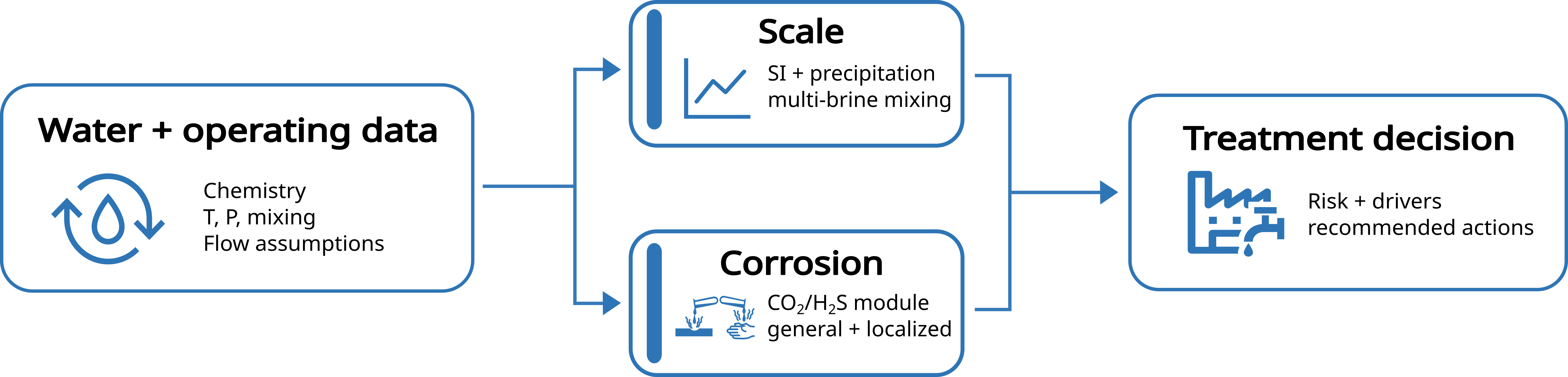
AWA evaluates scale and corrosion simultaneously from the same water chemistry and operating dataset, so you avoid split tools, inconsistent inputs, and spreadsheet drift.
What you can do
- Run scale + corrosion in a single workflow.
- Compare scenarios side-by-side to quantify what changed and why.
- Produce review-ready outputs: drivers, sensitivities, and assumptions.
- Model Coverage and Technical Limits
- Designed for oil & gas and industrial water systems.
- Operating envelope
-
- Temperature: up to 300 °C/572 °F.
- Pressure: up to 23,000 psi/1586 bar.
- Ionic strength: up to 10 m.
- Mixing: single waters and blends up to 50 source brines.
- Coverage highlights
-
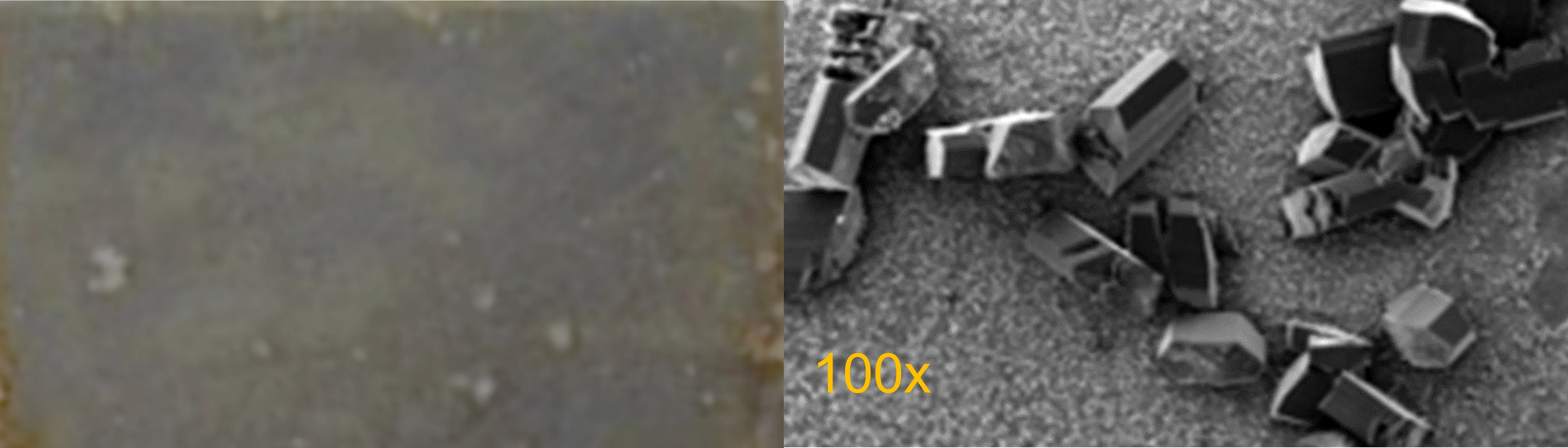
- 20+ mineral phases (carbonates, sulfates, halite, FeS/FeCO₃, silica phases, selected Zn/Pb scales).
- CO₂/H₂S carbon steel corrosion (sweet and sour systems).
- Sensitivity/scenario analysis across key operating variables.

Workflow
Whether you are in the field, the lab, or managing programs across assets, AWA takes you from inputs to defensible treatment decisions, on a secure, private platform.
-
Ingest
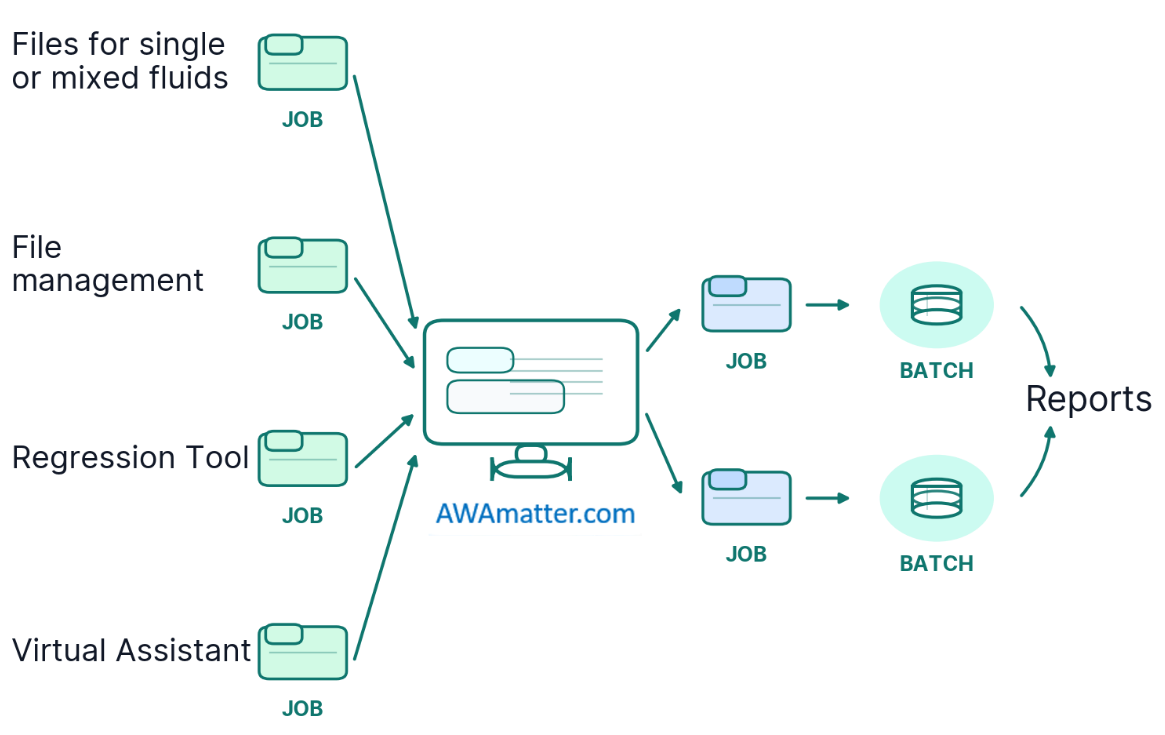
- Import water and operating data via CSV or auto-extract chemistry from lab-report PDFs.
- Batch-run multiple samples in a single execution.
-
Predict, run sensitivities, and define treatment needs
- Compute saturation indices (SI), estimated precipitation, and general/localized corrosion for single waters or mixtures.
- Generate per-run deliverables:
- Excel results file (predicted values and key outputs).
- Word reports: Root Cause, Inhibitor Formulation, Treatment Strategy/Summary.
- Quantify risk drivers via sensitivity analysis across T, P, flow, water cut, and key ions.
-
Report, share, and retain knowledge
- Produce standardized/branded Excel outputs aligned with your reporting requirements.
- Store and share inputs, runs, models, and reports in structured project folders for audit and reuse.
-
Diagnose and design with AI + custom models
- Use the Virtual Assistant to query and summarize project files (reports, runs, supporting documents) with traceable outputs.
- Use the Regression Tool to fit models to your datasets, predict under new conditions, and export models as XGBoost JSON for integration into internal workflows.
Virtual Assistant
The Virtual Assistant reduces the most tedious work (searching, comparing, and summarizing across project folders), while keeping conclusions tied to your source inputs.
What it does
- Searches across lab reports, simulations, notes, files, and internet.
- Explains drivers and sensitivities (“what changed” and “why”).
- Produces traceable recommendations (assumptions + references).
- Can reference a product catalog, including your own products if you choose to add them.
Regression Tool
Use historical lab and field data to build asset and chemistry specific models you can validate, reuse, and deploy.
What can you do
- Fit regression models to coupon data, lab studies, and field results.
- Validate using holdout sets and model performance diagnostics.
- Predict performance under new brines and operating conditions.
- Export models as XGBoost JSON for internal tools, dashboards, and digital twin workflows.
Why it matters
- Create proprietary, data-driven models that reflect your formulations and systems.
- Support R&D, service proposals, and optimization projects with quantitative evidence.

Batch Processing & File Management
AWA is designed for high-throughput analysis with a clean, auditable project record.
- Templates: Standardized CSV/Excel templates for consistent inputs.
- Batch execution: Upload multiple CSVs and run bulk simulations to reduce manual entry.
- Automatic archiving: Inputs, conditions, outputs, and generated reports are saved to structured project folders.
- Data history: Track reruns, revisions, and results for audit, governance, and reproducibility.
- Virtual Assistant-ready: Organize and share project folders so the Virtual Assistant can search and summarize your files and results.
- Supports consistent naming, versioning, and reuse across teams.
Security and Privacy
Private workspaces, controlled access, and browser-based deployment.
- AWA keeps project data under your control while remaining usable for field, lab, and HQ teams.
- Access to AWA is limited to authorized credentials only.
- Browser-based (no local installs).
- Workspace isolation for runs, files, and models.
- Storage designed starting at ≥ 50 GB (expandable).